
The benefits of adding an edit button to the article details page are naturally unnecessary. When an administrator views his website and finds an article that needs to be revised, he can directly click the edit button to enter the edit page.
If there is no edit button, you need to go to the backend of the website-article key, search for the wrong article, and then enter edit and modify.
In contrast, it is definitely the most convenient to have an edit button, and this button can only be visible after the administrator logs in, and cannot be seen by others!
The code that needs to be added is as follows:
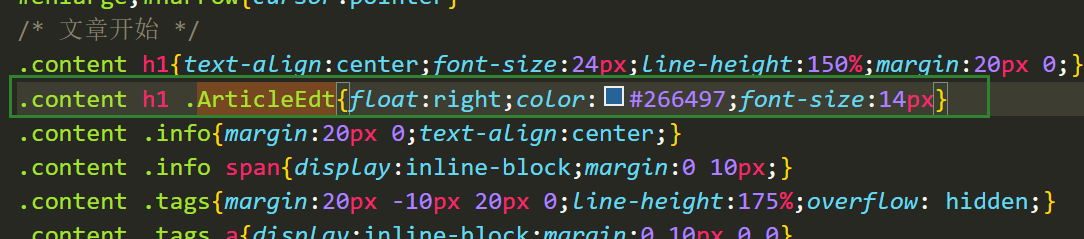
{if $user.Level<=1}<a href="{$host}zb_system/admin/edit.php?act=ArticleEdt&id={$article.ID}" target="_blank" class="ArticleEdt" title="仅管理员登录网站后台后可见的编辑按钮">编辑</a>{/if}At the same time, you need to add styles to this edit button in the css code:







 Add customer service qq.
netizens commented