
Generally, both servers and virtual hosts can be set up directly301 redirect(ie301 redirect), no additional code is required to set it.
But what if you don't want to implement 301 redirects on a server or virtual host?

We useZ-blogPHPTake an example of a website made by the program.
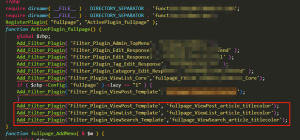
The website themes of Z-blogPHP programs use the unified header template file header.php
The path of header.php--root directory/zb_users/theme/theme id/template/
After finding the header.php file, add our code to header.php!
The first method:
Redirect finchui.com to www.finchui.com
This method is often used on new websites.
The code is as follows:
{php}
if (strpos($_SERVER['HTTP_HOST'], 'www.finchui.com') === false) {
    header("HTTP/1.1 301 Moved Permanently");
    header("Location: http://www.finchui.com");
    exit();
}
{/php}
Second method:
Not only does finchui.com jump to www.finchui.com.
Also enable access to: finchui.com/zbp-theme/62.html, finchui.com/zbp-theme/redirect to www.finchui.com/zbp-theme/62.html and www.finchui.com/zbp-theme/62.html
Simply put, the change method only changes the main domain name, and the URL suffix part will remain unchanged.
This method is often used to transfer the weight of the old domain name to the new domain name when many addresses have been included in search engines.
The code is as follows:
{php}
$redirectHost = 'www.finchui.com;
if (strpos($_SERVER['HTTP_HOST'], $redirectHost) === false) {
    $redirectURL = 'http://' . $redirectHost . $_SERVER['REQUEST_URI'];
    header("HTTP/1.1 301 Moved Permanently");
    header("Location: $redirectURL");
    exit();
}
{/php}
In the above example, my website domain name is used, but my website just makes a simple finchui.com and jumps to www.finchui.com, which does not contain the URL suffix.










 Add customer service qq.
netizens commented