
Advertising sheetis"Super Single Page| Single-page website template| seo single page》Article editing-A function in the extended functions. After opening, you can set the article as a separate single page. Generally, only a small number of articles need to be opened, and batch setting is not needed.
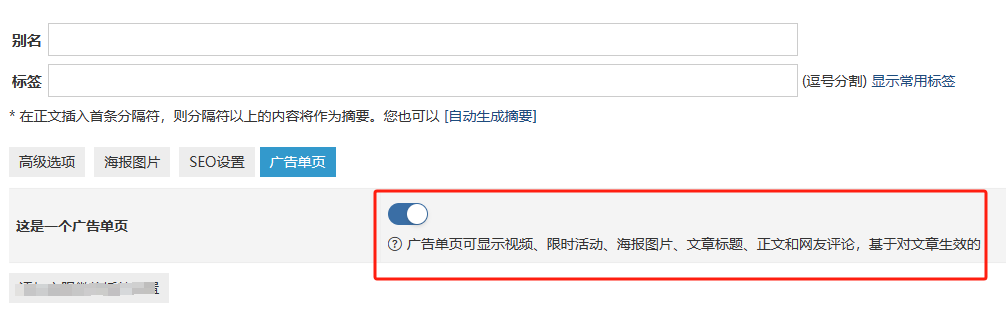
But what if you need to set up all articles as advertising pages and don't want to operate one by one?
The following plan was made by 100 users who sponsored him.
You can create an upddata.php file and place it in the root directory of your website, and then visit your URL/upddata.php. When all articles become advertising pages, you will prompt "Operation End".
The code is as follows:
<?php
require 'zb_system/function/c_system_base.php';

global $zbp;

$sql = "SELECT * FROM " . $zbp->table['Post'];
$array = $zbp->GetListCustom($zbp->table['Post'], $zbp->datainfo['Post'], $sql);

$count = count($array);
$batchSize = 100;
$delaySeconds = 2;

for ($i = 0; $i < $count; $i += $batchSize) {
    $batch = array_slice($array, $i, $batchSize);

    foreach ($batch as $post) {
        // 检查 Type 的值是否为 1
        if ($post->Type == 1) {
            continue; // 如果为 1,不进行任何操作,继续下一次循环
        }

        $meta = $post->Metas->GetData();

        if (!isset($meta['onepage'])) {
            // 如果不存在 'onepage' 键,则设置其值为 '1'
            $meta['onepage'] = '1';
            $post->Metas->onepage = '1'; // 直接设置 'onepage' 值为 '1'
            $post->Save();
        }
    }

    if ($i + $batchSize < $count) {
        sleep($delaySeconds); // 等待2秒
    }
}

echo "操作结束!";
?>
The above code used to batch operation, each operation of 100 articles, interval 2 seconds, in the process of operation without progress bar, if your article is particularly many, please wait patiently.










 Add customer service qq.
netizens commented