
Item 1: Activate the static management plug-in
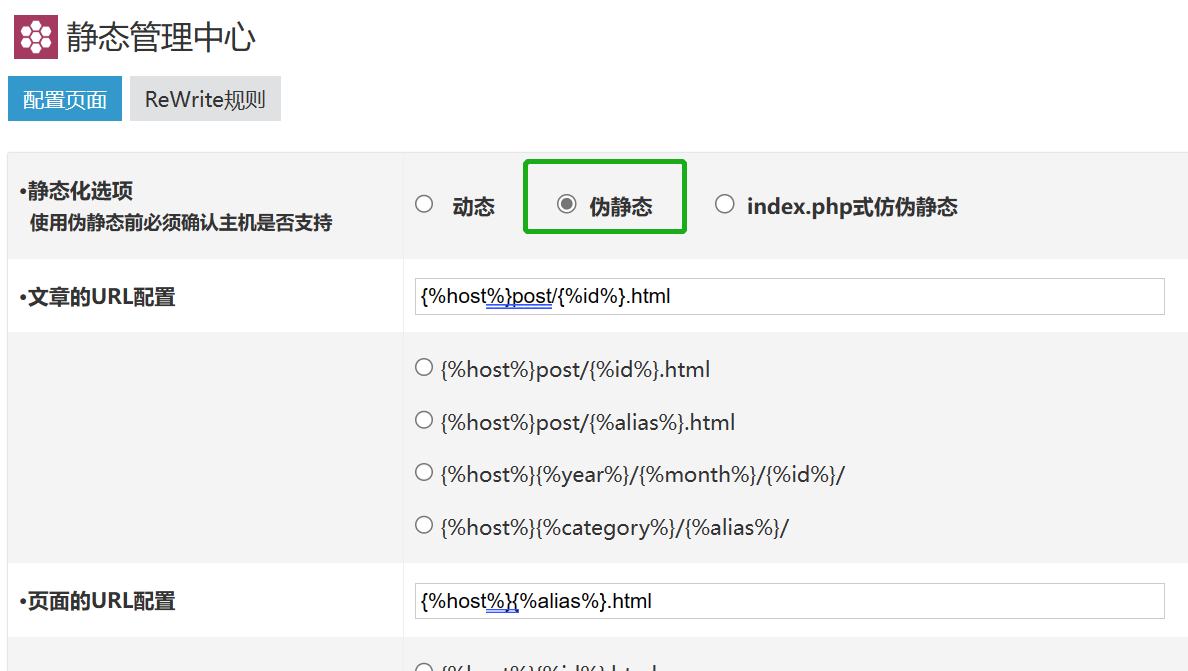
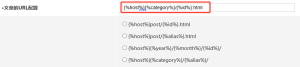
If your website needs to be openedpseudo-static(To put it another way: If you want a webpage to implement a classification catalog and html suffix similar to a static webpage), please use module management-open the static management plug-in and set up the pseudo-static URL configuration.
Item 2: Plan website classification
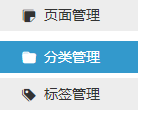
1. Add and set categories through the website backend-category management.
2. Through classification editing-set the alias and sorting of the classification.
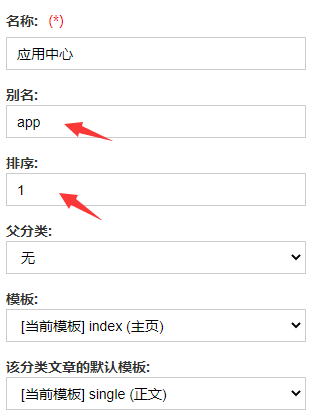
Aliases can be Pinyin, English letters or Chinese characters. Pinyin is recommended.
Aliases can be displayed on the URL link on the Category List page.
3. If the category needs to be displayed in the navigation bar, please open the Add Navigation Bar menu in category editing.

Please pay special attention to this operation:
Your website has been set to pseudo-static! Of course, websites that do not require pseudo-static can be ignored.
Setting pseudo-static in advance will prevent you from repeatedly modifying the links to the navigation bar module.
4. If the theme you are using has advanced options added in category editing, please pay attention to these options.
For example: classified list style, the number of articles displayed on the list page, classified SEO settings, etc.
If you ignore advanced options, chances are that the page won't deliver the effect you want.
Item 3: Plan a single page of the website
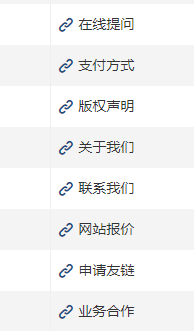
1. Add and set a single page through Theme Settings-Page Settings.
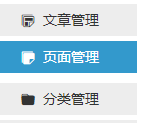
For example, the following pages are independent and do not belong to any website category.
2. Edit through the page-set the alias.
Aliases can be Pinyin, English letters or Chinese characters. Pinyin is recommended.
Aliases can be displayed on a single page URL link.
3. If the page needs to be displayed in the navigation bar, please open the Add Navigation Bar menu during page editing.

Please pay special attention to this operation:
Your website has been set to pseudo-static! Of course, websites that do not require pseudo-static can be ignored.
Setting pseudo-static in advance will prevent you from repeatedly modifying the links to the navigation bar module.
4. If the theme you are using has advanced options for page editing, please pay attention to these options.
Item 4: Plan the website sidebar well
If you use a blog website theme, the sidebar of the theme can be displayed on the sidebar through module management-dragging and dropping the specified module.
Sidebar 1 (default sidebar)-Sidebar 9 can correspond to different pages respectively. Sidebars can be customized for pages with some themes.
Item 5: Set up website comments
If the entire website does not require comments, turn on and off website comments through website settings, comment settings

If only some articles or a single page do not require comments, turn on banning comments through article editing and page editing.

Everyone needs to remember, remember!
Be sure to open review comments!
Through website settings, comment settings are enabled.

What are the negative consequences of not opening review comments?
1. Because some netizens 'remarks (illegal or illegal remarks) were too extreme, they were reported by the "hotline netizens", resulting in the website being punished!
What kind of punishment should be?
There is a high probability that he is invited by relevant departments to drink tea, write a guarantee, or even impose a fine.
It may also cause the website registration number to be cancelled.
2. Because the comments of some netizens reproduced certain original articles that stated that forwarding was strictly prohibited, the copyright party of the original articles on the website sued.
In this case, there is a high probability that you will be deceived, and it will be difficult to win a lawsuit.
Webmasters often have to compensate the other party ranging from several thousand yuan to tens of thousands of yuan.
Item 6: Set the website title and subtitle
Set the website title and subtitle through website settings-basic settings.
Website titles are often displayed after all page titles throughout the site.
Subtitles are often only displayed on the front page.
If you use a theme that includes home page SEO titles, keywords and description settings.
Then, the SEO title on the homepage will replace the combination of the homepage website title + subtitle.
Item 7: Publish several articles in each category
Although the new website won't publish many articles to each category of the website at once, it will at least publish a few articles in some important website categories.
Publishing an article can help you test the display effect of the website's home page, category list page, and details page. So that you can make timely adjustments to the new website.
Item 8: Set the homepage of the website
Traditional blog website templates probably do not require setting up the website homepage.
However, many paid blog website templates, CMS website templates, enterprise templates and other theme templates with more functions will have a special theme setting-website home page settings.
Here, you can set up the carousel chart, category list, friendship links, webmaster recommendations and other sections displayed on the homepage of the website.
At present, I only think of so much content. If you have anything to add, you can leave a message in the comment area.
If I think of more, I will continue to add it in this article!









 Add customer service qq.
netizens commented