
 914466480







This plug-in is committed to automatically filling in the vacant IDs of deleted articles, categories, tags, users and comments, ensuring the continuity of the ID sequence, effectively avoiding the ID breakage problem and a large number of 404 pages caused by content deletion, and significantly improving the cleanliness of website data and SEO friendliness.
Tips before purchasing
Application CenterThere is a free vacancy ID plug-in. If you have no special needs, we recommend using the free plug-in first to avoid unnecessary expenses!
If you have clear personalized needs, you may wish to continue to understand usPaid pluginunique advantages.
Tips for post-purchase operations
Article Changing ID in batches is an irreversible operation. Please back up the database before operating.
Core competitiveness of paid plug-ins
1. Solve the problem of collecting data ID vacancy
For articles that are normally published according to the process, the vacancy ID can be automatically filled with the help of the zblog content saving function after the plug-in is opened. However, using collection software or directly adding articles in batches through the database will bypass this function and cause the free plug-in to fail. And our paid plug-in supports manual batch filling of vacancy IDs for such articles, easily solving the dilemma of collecting data ID management.
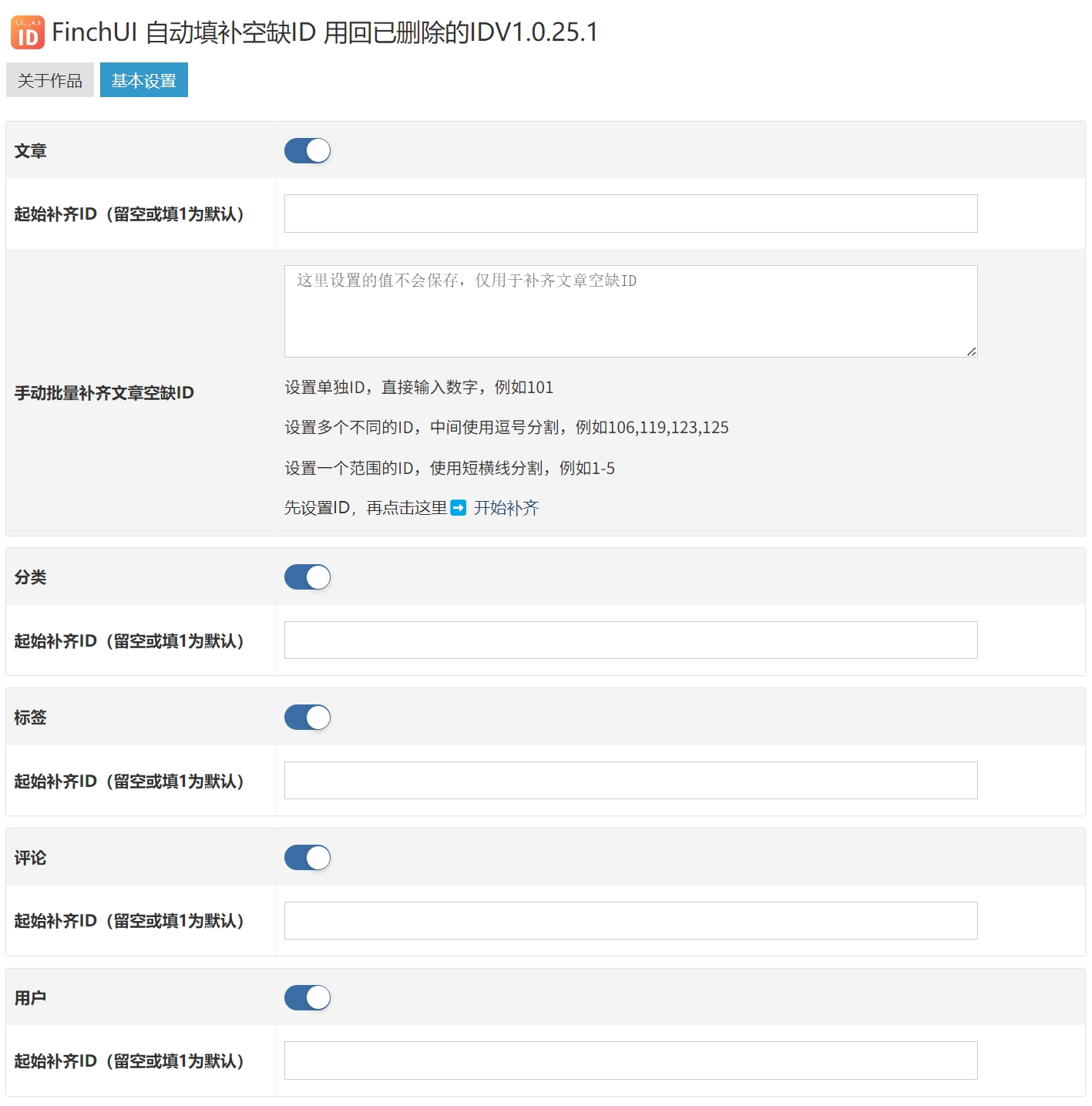
2. Flexible setting of the initial replenishment ID
When there are vacancies in website content IDs ranging from 1 to 100, if you don't want to fill them from scratch, but want to start from 50, our plug-in allows you to customize the initial filling ID to accurately meet personalized needs and make data repair more efficient.
3. Intelligently fill the ID hole
Suppose that the maximum ID of the current article is 100. After some articles are subsequently published and deleted, the ID of the newly published article will jump directly to 105. Free plug-ins will fill the vacancies between 100 and 105 until the ID 105 actually exists; our plug-ins can proactively identify and directly fill the ID vacancies between 101 and 104, ensuring seamless connection of the ID sequences.








 Add customer service qq.