

 914466480

What I said before
in factApplication CenterThere is already a free share.js sharing plug-in, and the differences between us and it are as follows:
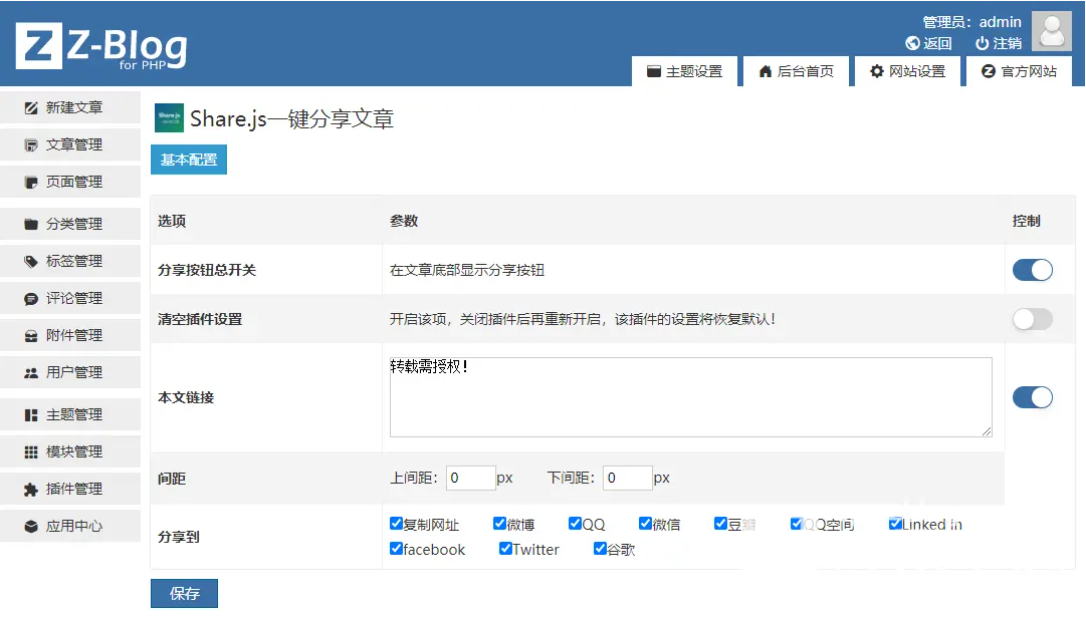
1. Our plug-in adds the function of copying URLs with one click.
2. Our plug-in can customize the sharing button.
3. Our plug-in can customize the upper and lower spacing when displayed below the article.
4. Our plug-in can insert links to this article and prompt text at the bottom of the article.
5. Our plug-in can determine the height of the container in the body section and ensure that the QR code popped up by the WeChat button will not be cut and hidden because the container is too low.
6. We rebuilt the icon library to be smaller.
7. We took into account theme compatibility and made it as compatible as possibleZ-blogPHPAll themes.
If this plug-in just provides you with the help and convenience, please support zblog and Xinglan Studio's theme more.
https://app.zblogcn.com/?auth=098236fa-3e93-4127-8a50-6c39ffb8d6a4
Introduction to Plug-in
A one-click article sharing plug-in based on the secondary development of open source Share.js.
Share with one click on Weibo, Qzone, QQ friends, WeChat, Tencent Weibo, Douban, Facebook, Twitter, Linkedin, Google+
The icon library that comes with Share.js is relatively large. We used iconfont to create a new icon library. The icon library only takes up 16KB of space, which is equivalent to the size of a 300×300 pixel image. The impact on website access speed is almost negligible.
At the same time, in order to make the plug-in compatible with all z-blog themes, we used exclusive style tags (to avoid duplication with the theme's style tags) and "! important "(priority).
In addition, based on the share button that comes with Share.js, we have also added a copy URL button. You can also customize the upper and lower spacing of buttons when displayed in the article section, as well as the buttons displayed.











 Add customer service qq.